 Taaskyz
Track GST, TDS, MCA, Income Tax, Audit and Team Tasks
in one simple app.
Taaskyz helps CA firm owners and managers see who is working on what, what is pending, what is overdue, and which client work needs follow-up - without daily chasing on WhatsApp or Excel.
CA Firm Dashboard
Sample demo data for client work tracking
GSTR-3B Filing
ABC Traders · Assigned to Rahul
TDS Return Review
Sunrise Pvt Ltd · Waiting for review
MCA AOC-4 Follow-up
Bluefin Exports · DSC pending
ITR Computation
Mehta & Co · Client approval pending
Still managing CA office work on WhatsApp, Excel and memory?
Most delays do not happen because the team is careless. They happen because task ownership, deadline status and client follow-ups are scattered.
No clear visibility
Owners and managers have to ask repeatedly: “Who is working on this client?”
Deadline pressure
GST, TDS, MCA, ITR and audit work all move at the same time during peak periods.
Scattered follow-ups
Client data, staff updates and approvals remain buried in chat messages.
Weak reporting
It is hard to review workload, delays and completed work without a central system.
One task system for work allocation, follow-ups, updates and reporting.
Taaskyz already focuses on task visibility, guided workflows, notifications, time tracking, performance insights and centralized communication. This landing page packages those features around CA firm operations.
Real-time task visibility
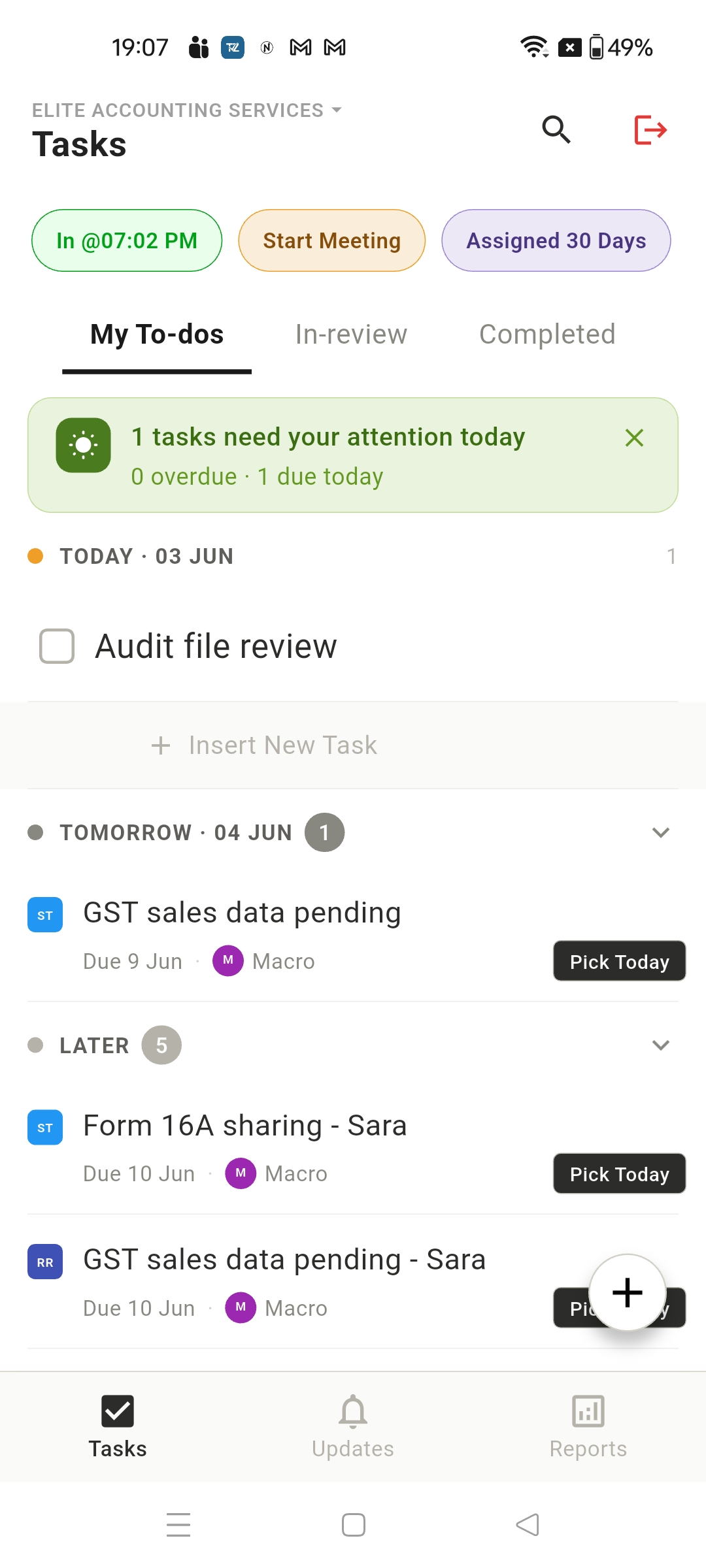
See who is doing what, what is pending, and which work needs attention today.
Guided workflows
Create repeatable steps for GST, TDS, MCA, Income Tax, Audit and client follow-up work.
Smart notifications
Get alerts before delays become bigger problems for the team or client.
Time tracking
Understand how long client tasks and internal work actually take.
Team performance insights
Review workload, delays, task completion and effort across team members.
Centralized communication
Keep updates, comments and files connected to the task instead of scattered across chats.
Show CA firm owners a workflow they instantly understand.
Use these sample workflows in your demo account so the page, app and outreach message all feel connected.
GST monthly return workflow
Track data collection, reconciliation, review, client approval and filing status in one place.
- Collect sales and purchase data
- Reconcile GSTR-2B / purchase data
- Prepare GSTR-1 / GSTR-3B
- Manager review
- Client approval
- Filing confirmation shared
Know what is pending before it becomes a problem.
During the demo, show only what matters most: due today, overdue tasks, client data pending, staff workload, completed work and tasks waiting for review.
Numbers shown here are sample demo data. Replace with real firm metrics after pilots.
From scattered follow-ups to clear execution.
Create client or category
Add client work under GST, TDS, MCA, Income Tax, Audit or Follow-up.
Assign responsibility
Give each task an owner, due date, priority and checklist.
Track updates
Keep comments, files and status changes connected to the task.
Review reports
See overdue work, workload and completed tasks without asking everyone manually.
See a sample CA firm workflow inside Taaskyz.
In one short call, we’ll show how a CA firm can track GST, TDS, MCA, Income Tax, audit tasks, team updates and overdue follow-ups inside Taaskyz.
Free CA firm task tracker template
Offer this to users who are not ready for a demo yet. It keeps the conversation warm.
Request TemplateQuestions CA firm owners usually ask.
Is Taaskyz only for CA firms?
No. Taaskyz is a task management and team accountability app. This page shows how it can be configured specifically for CA firm workflows.
Can we use it for GST, TDS, MCA and Income Tax work?
Yes. You can create workflows, checklists, due dates and team assignments for these work categories.
Can managers see who is working on what?
Yes. The core value of Taaskyz is visibility into assigned tasks, status, updates and pending work.
Does Taaskyz work on mobile?
Yes. Taaskyz is mobile-first and is available as an Android app, so managers and team members can update work on the go.
Can we start with a small team?
Yes. For the first pilot, start with a few users and 10-20 real client tasks. Once the flow is clear, expand to more work categories.
How long does the demo take?
The demo is designed to take around 15 minutes and focuses on a sample CA firm workflow.
See your CA firm’s work clearly in one place.
Book a free 15-minute demo and see how Taaskyz can help your team track tasks, follow-ups, deadlines and reports with less chasing.